
What is Gemini (in the context of images)?
- Gemini is Google’s multimodal AI model/assistant (text + image + other modes) developed by DeepMind / Google AI.
- Its image subsystem (often referred to by the codename Nano Banana, or “Gemini 2.5 Flash Image”) is the part that handles image generation and editing.
Recent Upgrades & Highlights
- In August 2025, Google released a significant update to Gemini’s native image editing, improving how well it preserves likeness across edits (people, pets) and boosting control over editing.
- The “Nano Banana” branding has become popular — it’s essentially the public-facing name for the image model inside Gemini.
- The new Gemini 2.5 Flash Image model supports precise, localized edits using natural language instructions (e.g. remove a stain, blur background, change pose) with understanding of the image content.
- Google is also enhancing its Google Photos app to include Gemini-powered editing: you can “ask Photos” to make edits (e.g. remove an object, improve composition) using text or voice.
- Some Android phones (initially Pixel 10) are getting a feature where you can “Help me edit” in Google Photos (powered by Gemini), letting you issue vague instructions like “improve this photo” or “restore this old photo.
How to Use / Try It
Here’s a rough user flow to try Gemini’s image editing:
- Get the Gemini app (or use it via web / Google AI Studio if available in your region).
- Upload or supply an image you want to edit.
- Give a prompt (in natural language) describing what change(s) you want — e.g. “remove the lamppost in the background,” “put me in a beach with sunset,” “change my outfit to a red dress,” etc.
- Iteratively refine — the output appears, and you can give further instructions (e.g. “make the background more dreamy,” “adjust lighting,” etc.).
- Save / export the result. The edited image will carry the invisible watermark.
If you’re a developer:
- Use the Gemini API / SDK or Vertex AI to generate and edit images programmatically.
- The Gemini 2.5 Flash Image model is exposed in such environments, allowing you to build custom editing apps / pipelines.
How AI (like Google Gemini) Helps in Photo Editing
Traditional editing uses manual tools, but AI editors like Gemini use natural language instructions —
you just type or speak what you want, such as:
- “Remove the person in the background.”
- “Make the sky look like sunset.”
- “Brighten my face and add blur to the background.”
Gemini then automatically edits the photo for you.
ow Google Gemini Photo Editing Works
- Upload or choose a photo
→ From your gallery, Google Photos, or computer. - Give a prompt (instruction)
→ Example: “Change my shirt color to blue.” - AI analyzes the image
→ Gemini detects objects, faces, background, and lighting. - Applies edits
→ Makes the change instantly and shows you results. - You review and refine
→ You can say “Make it brighter” or “Add soft light.” - Save / download the final image
→ Gemini automatically adds an invisible AI-generated watermark for transparency.
📱 Example Uses
- Editing selfies for social media
- Removing unwanted objects in travel photos
- Making product photos look professional
- Restoring old or blurry images
- Designing creative or fantasy scenes

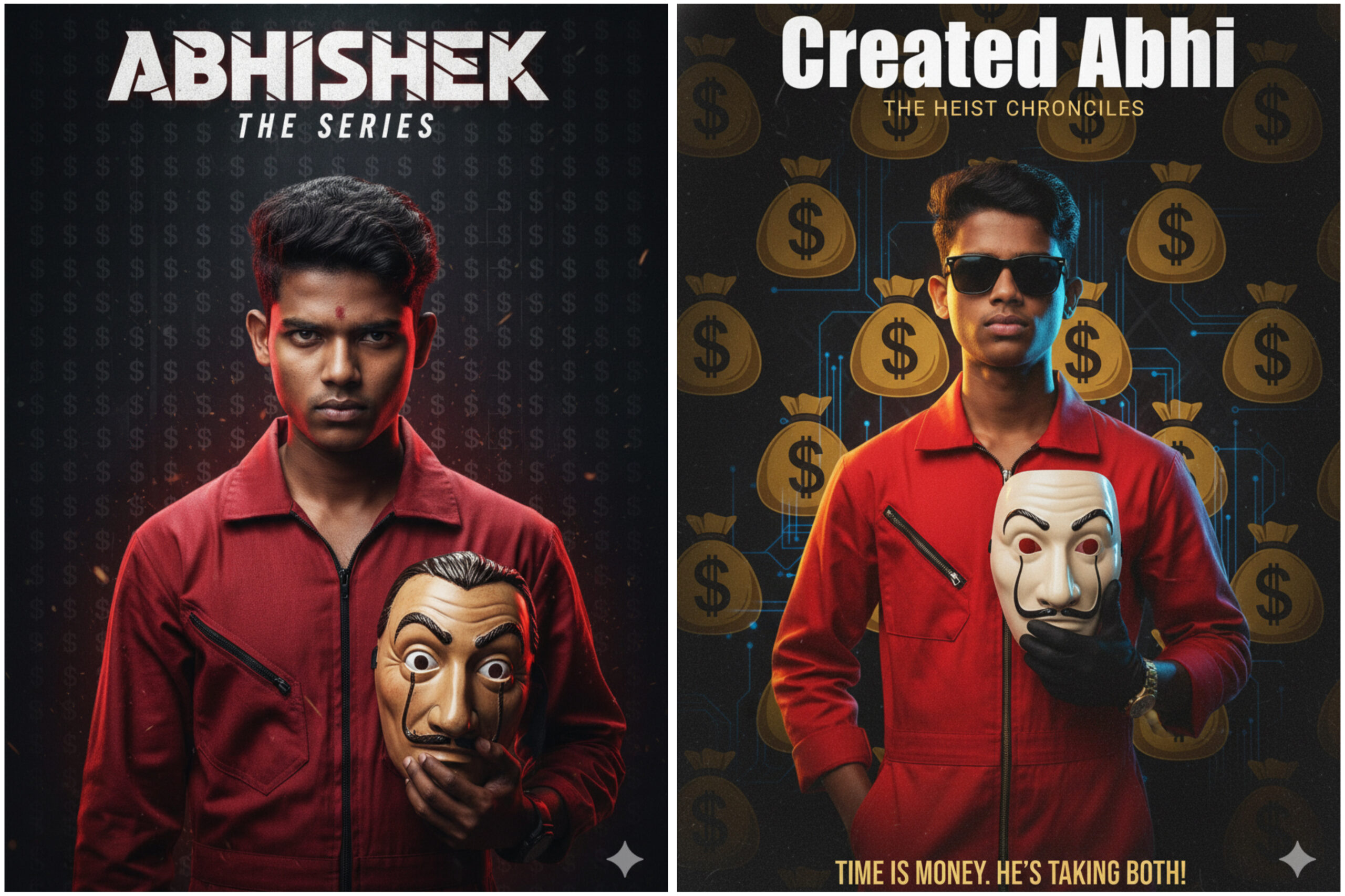
A dramatic, portrait-oriented movie poster for ‘ABHISHEK ‘ The central figure is a serious-looking, a young man (use 100% face refrence from uploaded image) with dark hair, wearing a vibrant red zippered jumpsuit or hoodie. He holds a Salvador Dalímask in his left hand, partially obscuring the lower-right side of the image, with the mask’s face angled slightly towards the viewer. The background is dark and textured, featuring a repeating, distressed

A dramatic, portrait-oriented movie poster titled “YOUR NAME” The central figure is a young man with 1000000% exact face above I mentioned image and wearing a red zip-up jumpsuit or hoodie, standing confidently with his left hand in his pocket and holding a Salvador Dalí mask in his right hand. He wears black sunglasses and has a serious, mysterious expression. The background features a pattern of gold money bags ($ symbols) with a subtle digital circuit design, giving a high-tech heist theme. The title text “YOUR NAME” appears boldly at the top in white, with the subtitle too small “THE HEIST CHRONICLES” in gold below it. At the bottom, a tagline reads: “TIME IS MONEY. HE’S TAKING BOTH!” The lighting is cinematic – warm highlights on one side of the face and cool blue shadows on the other. The overall tone is dark, dramatic, and high contrast, evoking a Money Heist-inspired aesthetic.
Leave a Reply